What is KYC?
Know Your Customer (KYC) verification helps us keep your account secure and comply with financial regulations. You’ll need to provide a valid ID and a selfie to complete the process.
Steps to verify
Step 1
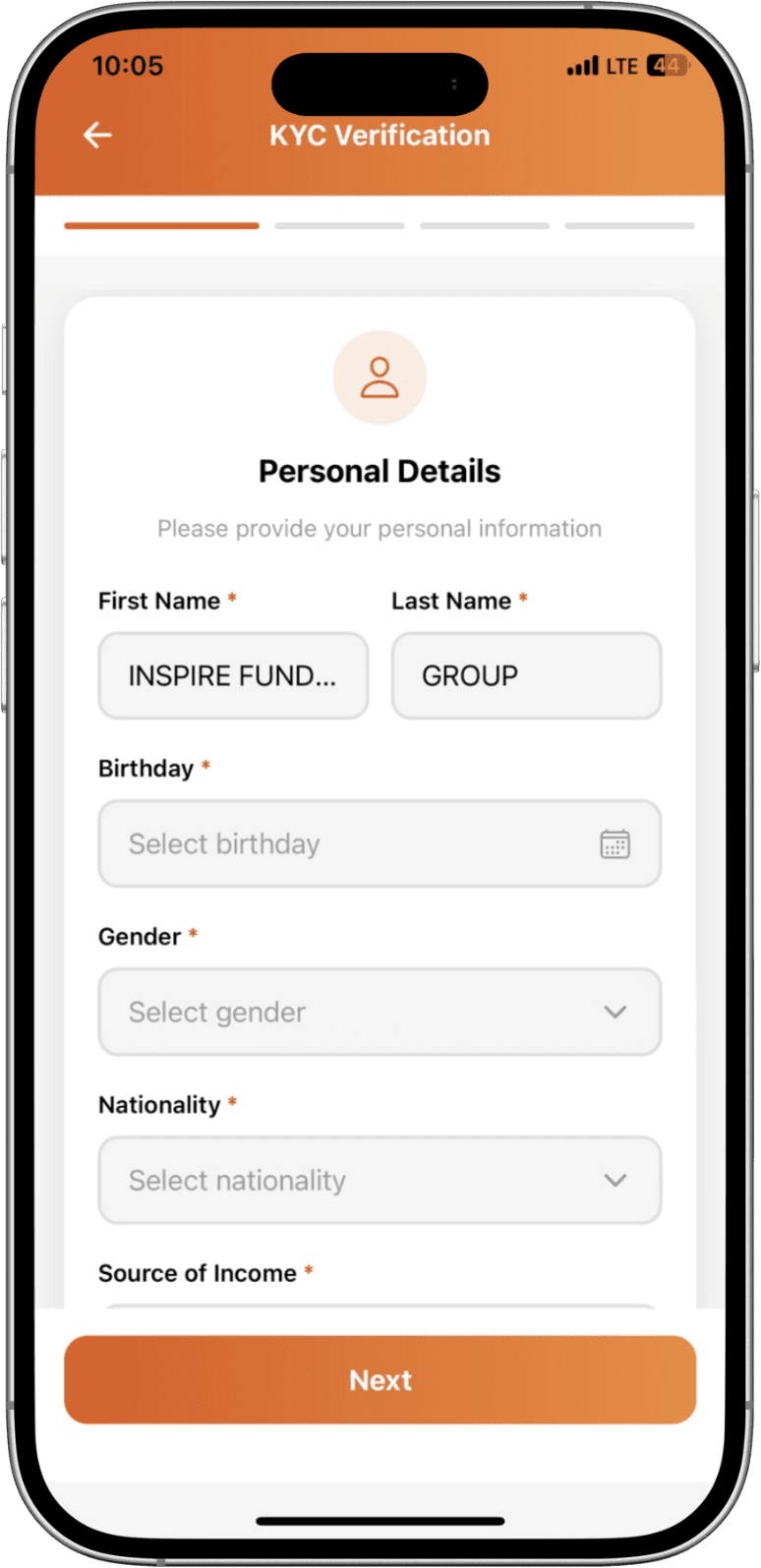
Go to Profile → Verification in the app.
Step 2
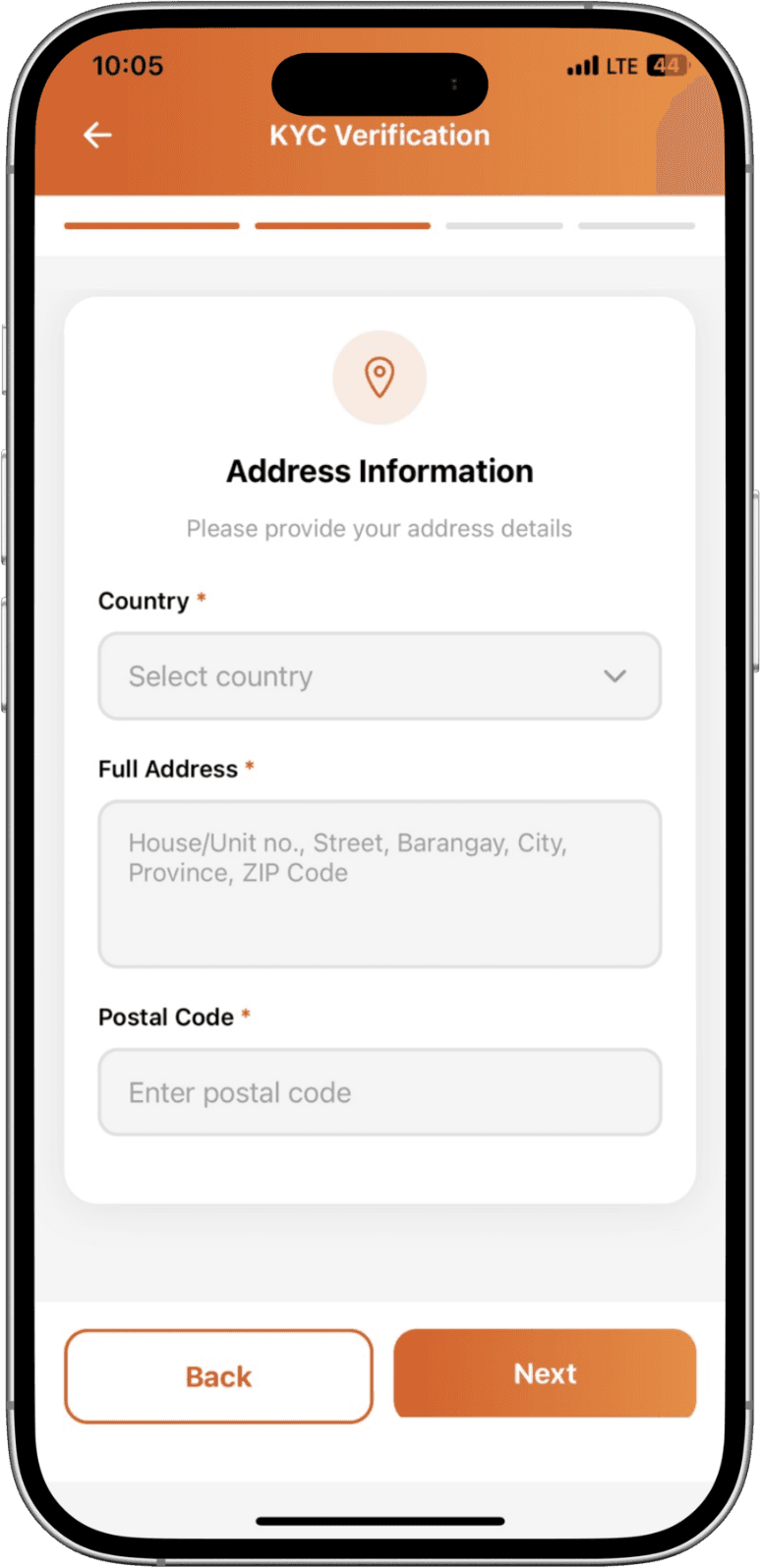
Select Personal KYC and choose your ID type (passport, national ID, etc.).
Step 3
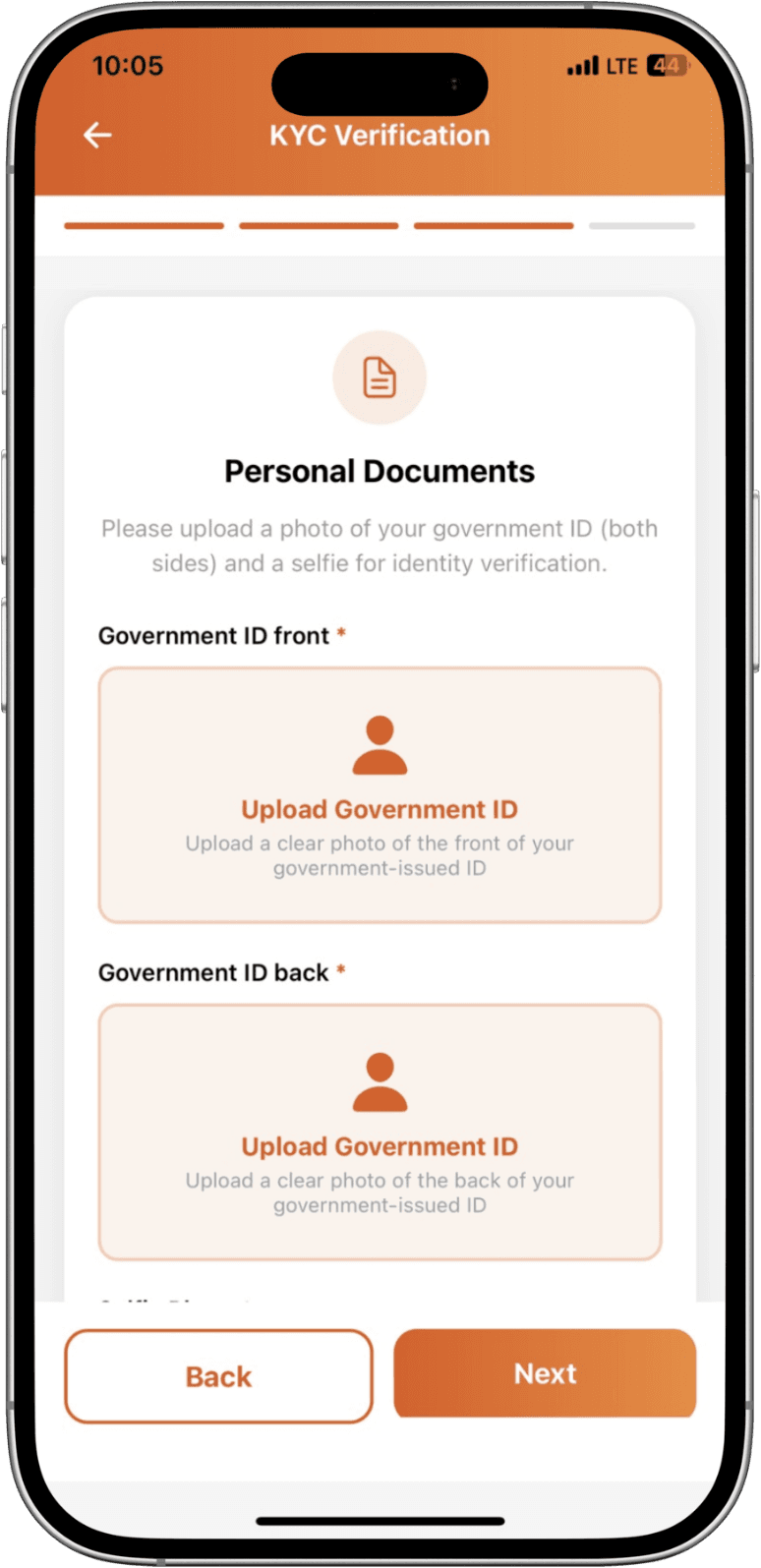
Capture a clear photo of your ID (front and back where applicable).
Step 4
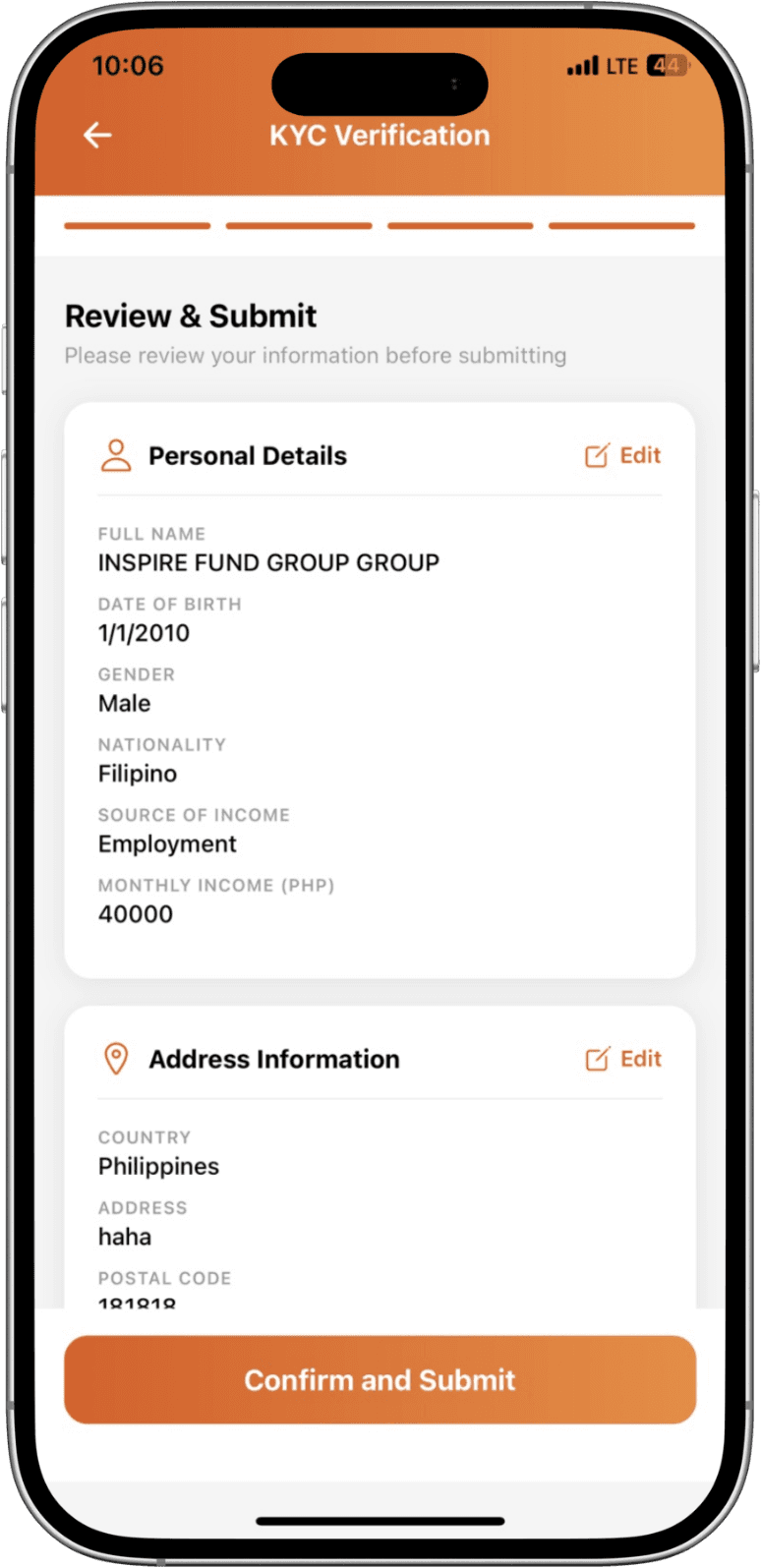
Take a selfie, submit your application, and wait for approval (usually 24-48 hours).